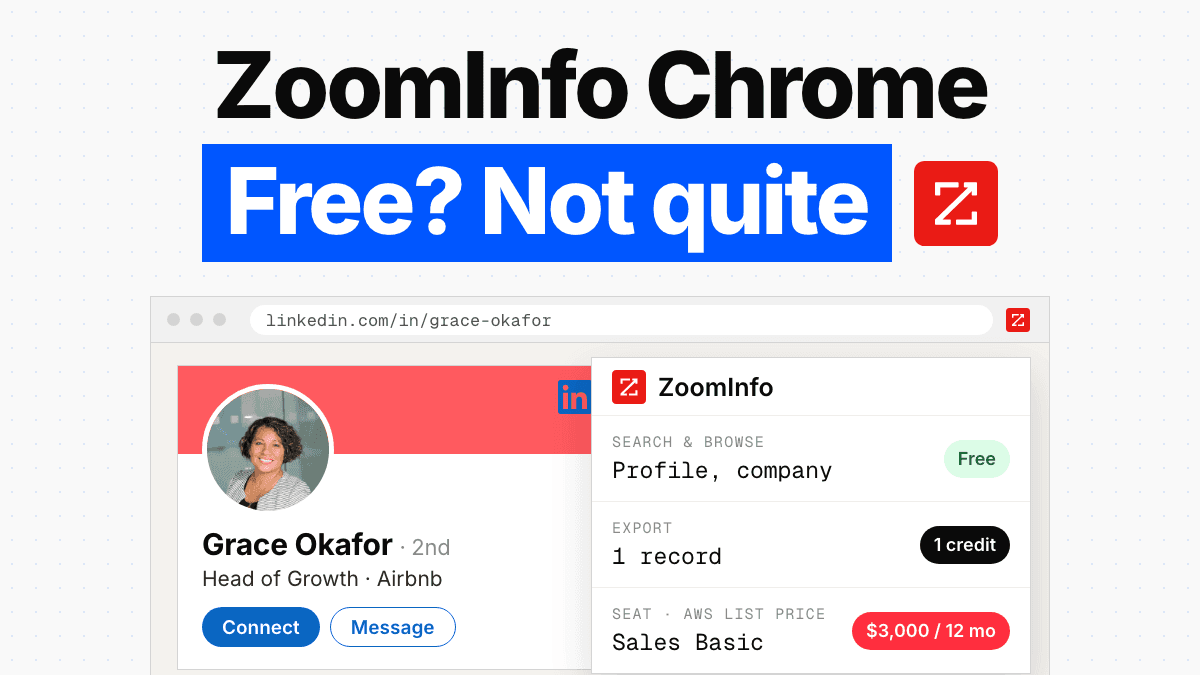
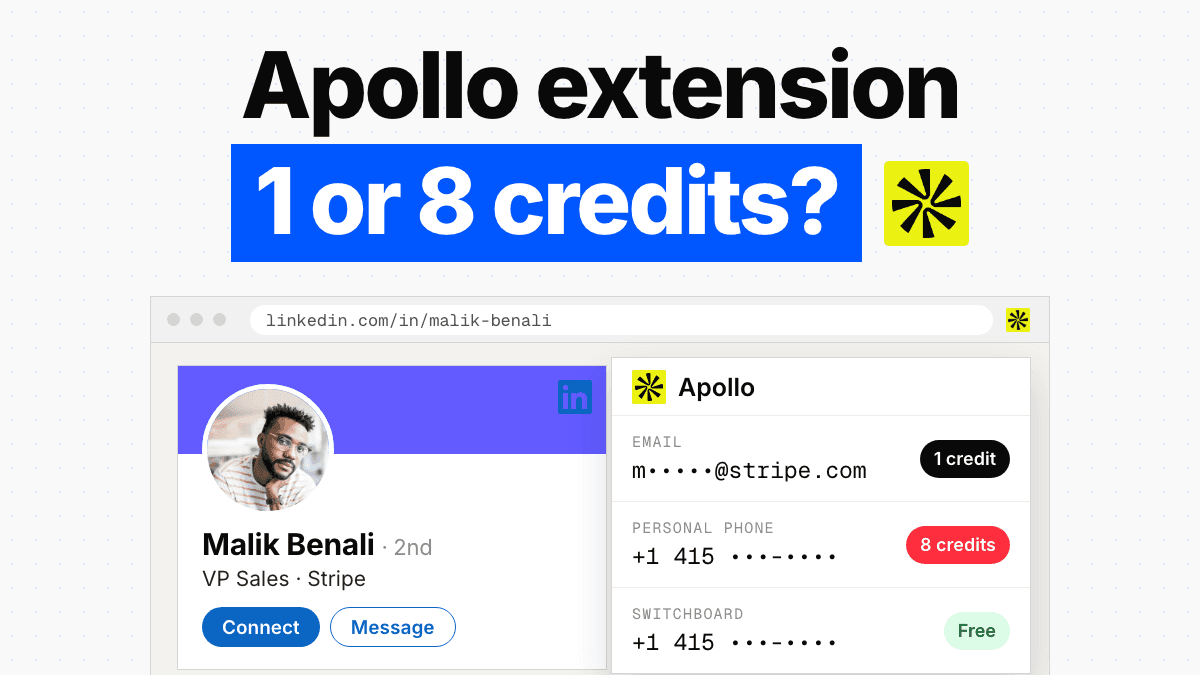
Key takeaway Salesforce publishes its own Chrome extension. It's called Sales Cloud Everywhere, it sits at 400,000 users and 4.2 out of 5 from 1.7K ratings, and it does what the listing promises: creates and updates records from whatever tab you happen to be in. Nothing in Salesforce's documentation says it finds an email address. That's the gap this page is about. A LinkedIn profile gives you a name, a title and a company. A Salesforce Lead a rep can work needs a deliverable address, and often a number somebody can dial. LinkedIn's own routes into Salesforce carry insight and activity, not contact details, and the full CRM Sync is gated to Advanced Plus. Enrow's extension covers the last step. Find the email on the profile, verify it, push name, email, phone, company and LinkedIn URL into Salesforce. One credit per valid email. Nothing charged when the lookup comes back empty.
Search "salesforce chrome extension" and you land in admin territory. Inspector Reloaded, ORGanizer, SOQL runners, round-ups with twenty-nine entries. Useful tools, all of them, for people who spend their day inside metadata.
This is the other job. A rep is on a LinkedIn profile. The person is a fit, the company is a fit, and the next step is a record in Salesforce that somebody can send an email to on Tuesday morning. Between those two states sits a surprising amount of friction, and most of it never gets named out loud.
So let's name it.
Yes, Salesforce ships its own Chrome extension
The top organic result for the keyword is Salesforce's own listing on the Chrome Web Store. Publisher Salesforce, 400,000 users, 4.2 stars from 1.7K ratings. The description, verbatim:
"Work with Salesforce records directly in your browser. Sales Cloud Everywhere lets you work on your to-dos, see engagement alerts, create records, and update multiple records."
Salesforce's own Trailhead module says the same thing in a rep's language. It lets someone "manage her to-do list, receive engagement alerts, and even create or update records—all without leaving the webpage she's on", and specifically "review, add, and update Contact, Opportunity, Account, and Lead records", plus new "accounts, contacts, opportunities, leads, cases, events, and tasks".
Read those two descriptions closely and you'll notice what isn't there. Not one word about finding an email address or a direct dial. Sales Cloud Everywhere is a record surface. It moves what you already know into Salesforce faster. It does not go and get what you don't know.
That distinction is the whole page.
Extension listing and description read on the Chrome Web Store; feature quotes from Trailhead, both September 15, 2026.
What actually breaks between LinkedIn and Salesforce
I've watched the same handful of failure modes eat a quarter of a week.
The obvious one is manual copy-paste. Rep opens the profile in one tab, Salesforce in another, and moves five fields across by hand. It works. It also costs about ninety seconds per contact, and ninety seconds times forty profiles is an afternoon gone. Worse, the fields that get typed are the ones visible on the profile: name, title, company. The email gets guessed, or left blank, or filled in later by nobody.
Then there's the half-finished sync, which is quieter and more expensive. Something automated does create the Lead. Name, company, job title, maybe a LinkedIn URL. The Email field sits empty — or it holds a pattern guess someone's tool produced from firstname.lastname@domain. Now you have a record that looks complete in a list view and is dead on contact. Nobody notices until a campaign runs and the bounce report comes back.
Duplicates are the third, and Salesforce has real machinery for this, so it's worth understanding the shape of it before you blame the platform. Matching rules find the candidates, duplicate rules decide what happens next, and Salesforce's own training states it plainly: "Matching rules and duplicate rules work together to ensure that your sales teams work with data that's free of duplicates" and "Before an active matching rule can do anything, you pair it with a duplicate rule."
That machinery has hard ceilings. Up to three matching rules per duplicate rule, and up to five active matching rules per object. Salesforce's standard Contact and Lead matching rules also lean on criteria groups that combine a fuzzy First Name with Title and Mailing Street, using methods like Jaro-Winkler and Metaphone 3 on the name and edit distance on the street.
Hold those fields up against a Lead created from a LinkedIn profile. Name, yes. Title, yes, and it's a title that changes every eighteen months. Mailing street, almost never. The rules end up working with the thinnest possible signal, and whether a rep can push a duplicate through anyway depends on how your admin configured the bypass. Thin data doesn't just fail to convert. It quietly degrades your Salesforce data quality for everyone downstream.
Duplicate management quotes and limits from Trailhead's duplicate management unit, read September 15, 2026.
Every LinkedIn to Salesforce route, and where each one stops
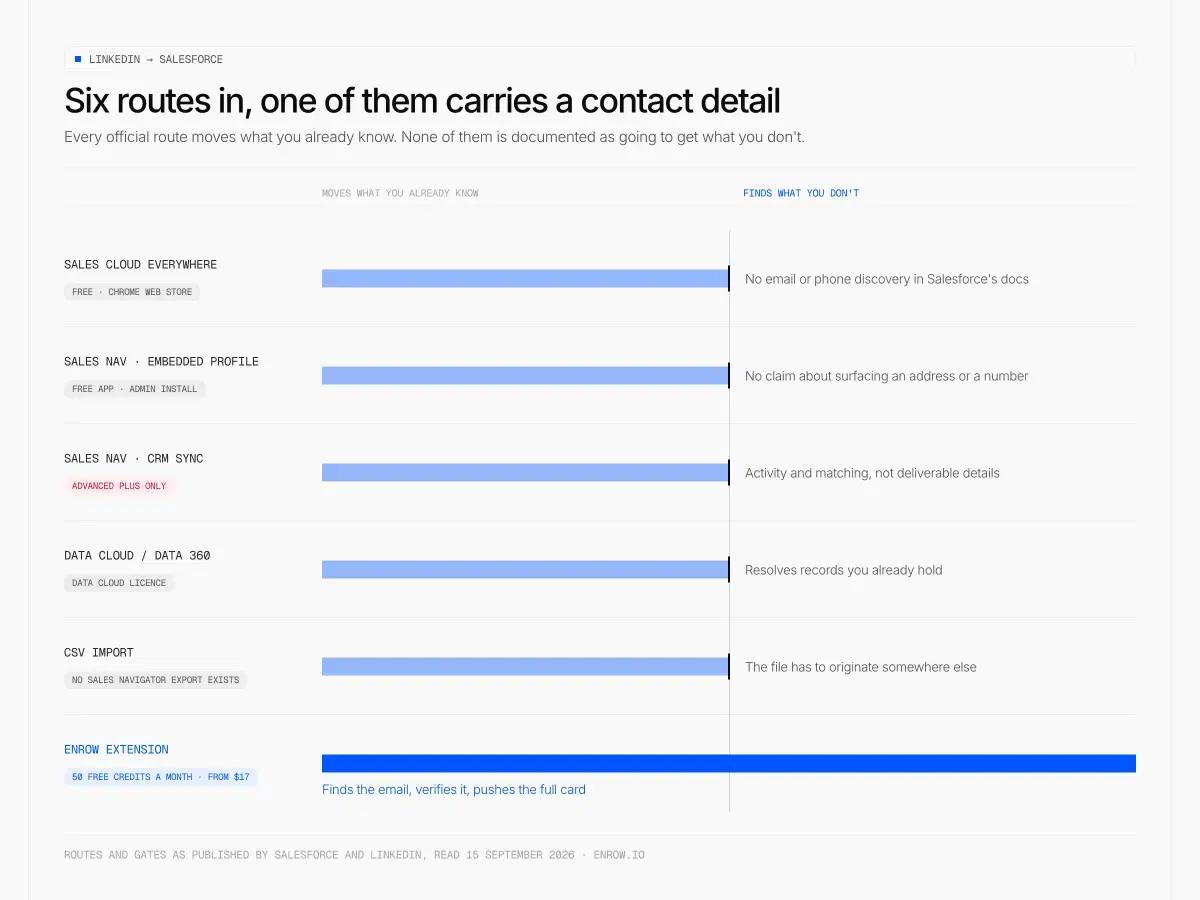
Every official route into Salesforce moves records you already have. Only the last one goes and gets the email.
There are more Salesforce LinkedIn integration options than most teams realise, and each one solves a different slice. Here's the honest map.
| Route | What it does | Where it stops | Gate |
|---|---|---|---|
| Sales Cloud Everywhere | Creates and updates Contact, Opportunity, Account and Lead records from any tab; to-dos and engagement alerts | Salesforce's docs describe no email or phone discovery at all | Free on the Chrome Web Store; edition requirements not stated in Salesforce's own docs |
| Sales Navigator embedded profile | "View LinkedIn information and Sales Navigator insights where you're already tracking your other sales activity" — turns a contact record into a rich profile | LinkedIn's page makes no claim about surfacing an address or a number | Free app, admin install; LinkedIn publishes no Salesforce edition requirement we could confirm |
| Sales Navigator CRM Sync | Auto-save, activity writeback, ROI reporting, CRM badges, search filtering, and auto-import of accounts and contacts affiliated to CRM individuals | Moves LinkedIn activity and matching, not deliverable contact details | "Integration between Sales Navigator and your CRM is only available for Sales Navigator Advanced Plus users" |
| Data Cloud / Data 360 | Resolves identity across records you already hold; the LinkedIn connector ingests engagement metadata | Does not acquire external contact details | Data Cloud licence |
| CSV import | Anything you can get into a file | LinkedIn publishes no CSV or XLS export for Sales Navigator, so the file has to originate elsewhere | — |
| Enrow's Chrome extension | Finds and verifies the email on the profile, then pushes name, email, phone, company and LinkedIn URL into Salesforce | Gives you no list to prospect from; source in LinkedIn first | 50 free credits a month; paid from $17/mo |
Two rows deserve a second look.
The free LinkedIn Sales Navigator Salesforce integration, the embedded profile app, is good at the job it was built for. Your rep sees the LinkedIn context inside the record instead of alt-tabbing. But read LinkedIn's own description again. Insight, information, rich profiles. Nowhere in it is there an address.
CRM Sync is the deeper one, and it's plan-gated in writing. LinkedIn's help centre: "Integration between Sales Navigator and your CRM is only available for Sales Navigator Advanced Plus users." Core runs $119.99 a month, Advanced $159.99, and LinkedIn publishes no price at all for Advanced Plus — you get a quote. The full ladder is in our Sales Navigator pricing breakdown.
And if your instinct is to route around all of it with a spreadsheet, LinkedIn closed that door explicitly: "LinkedIn currently doesn't offer the option to export account and lead information from Sales Navigator into a CSV or XLS file." The connections archive on regular LinkedIn does export, but its email column only fills for people who allowed it. We took that apart in export LinkedIn contacts.
Sync and app quotes from LinkedIn Help answer/a106005, answer/a8037044 and answer/a103029; the CSV export line from answer/a566336. All read September 15, 2026.
Salesforce's native enrichment solves a different problem
Worth being precise here, because "salesforce data enrichment" gets used for two unrelated jobs.
Data Cloud, now Data 360, does identity resolution. Salesforce's own developer blog: "The goal of resolving identity in Data Cloud is to create a single, enriched customer profile", and "Match rules are the algorithms that determine whether two records represent the same individual or business." The worked examples pull from Commerce Cloud, Service Cloud, S3, Databricks, BigQuery. Internal sources. Records you already hold.
That is real, difficult, valuable work. It is also the opposite end of the pipeline from what a prospecting rep needs. Identity resolution unifies people who are already in your system. It doesn't go find a person who isn't.
The LinkedIn connector for Data 360 reinforces the point. Salesforce's docs describe it as ingesting "engagement metadata—including organization page followers, post engagements, and member profiles". Engagement metadata, which is a different substance entirely from a deliverable address.
And Salesforce used to have a first-party answer to the discovery problem. Data.com Prospector and Data.com Clean were retired, and no first-party replacement has shipped that finds a person's deliverable email or direct dial. So the contact layer under Salesforce is, by design or by attrition, third-party territory.
Identity resolution quotes from Salesforce Developers; connector quote from the Data 360 LinkedIn connector guide, both read September 15, 2026.
The workflow that closes the gap
Here is the click path I'd actually run for Salesforce prospecting, on any profile worth the trouble.
- Source in LinkedIn or Sales Navigator. Filters, saved searches, whatever your motion is.
- Open the profile. Hit Find email in the Enrow extension. Enrow's product page puts it plainly: "Click the 'Find email' button on any LinkedIn profile and get their verified professional email in seconds." Lookup lands in roughly two to five seconds.
- Push it. "Push any contact straight to HubSpot, Salesforce, or Pipedrive." The record that lands carries name, email, phone, company and LinkedIn URL.
- Or batch it. Save contacts as you browse, build a list of ten or two hundred, then send the whole batch to the CRM or out as CSV.
No second tab. No spreadsheet staging area. No paste that silently drops into the wrong field.
That full contact card going straight into the CRM in one click is the piece no ranked rival matches. Most extensions hand you an address on screen and let you sort out the filing yourself. I'll say it once and move on.
Salesforce is a native Enrow integration, described on our integrations page as creating and updating records with verified emails and phones. Two things I won't claim, because they aren't published: which object the extension writes to in your org, and how it behaves against your specific duplicate rules. Ask us before you wire it into a production org with strict rules — that's a real question with an org-specific answer.
For teams running this at scale, not profile by profile, there's an API, and an official MCP server at github.com/EnrowAPI/enrow-mcp if you want the finder and verifier callable from Claude, Cursor or Windsurf. One line, that's all it needs.
A verified email beats a filled-in field, and it isn't close
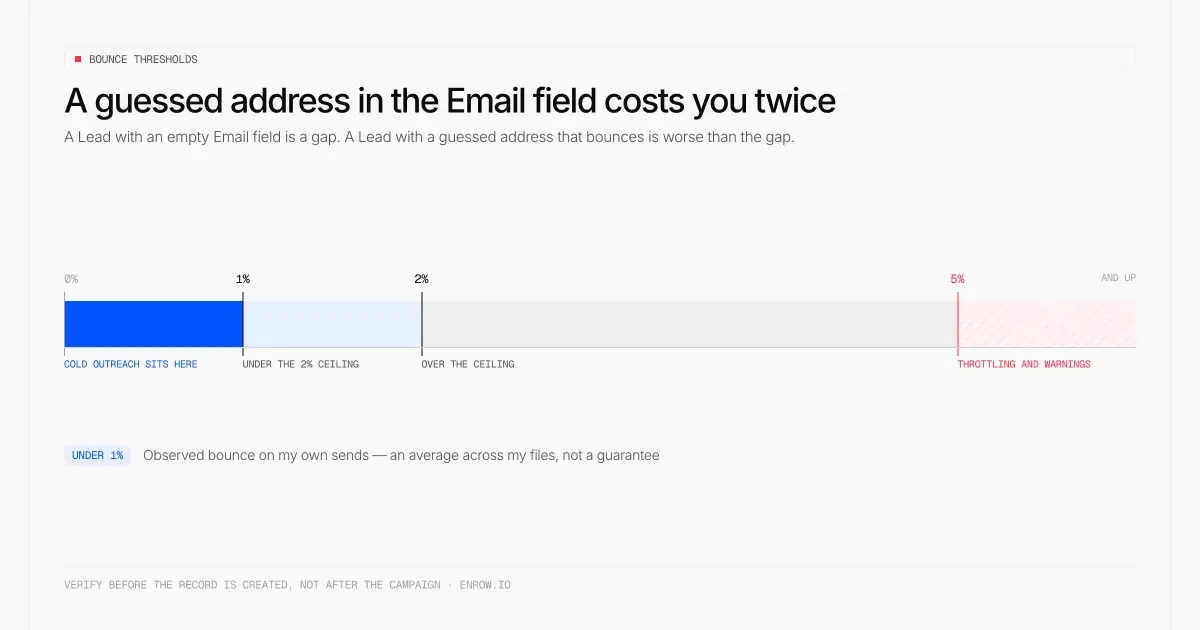
Two percent is the working ceiling, past five percent comes throttling — and a guessed address in the Email field is what pushes you there.
Here's the counterintuitive bit that most CRM hygiene advice gets backwards.
A Lead with an empty Email field is a gap. Annoying, visible, fixable. A Lead with a guessed address that bounces is worse than the gap, and it costs you twice over.
First, sender reputation. Bounces are the signal mailbox providers read hardest, and the damage isn't confined to the one campaign that caused it. Two percent is the working ceiling; under one percent is where cold outreach should sit. Past roughly five percent, expect throttling and warnings. We laid out the thresholds and the enforcement behaviour in email bounce rate.
Second, your reporting goes soft. A guessed address counts as a contactable Lead in every dashboard you have. Your funnel says you touched four hundred people. You touched three hundred and twelve. Somewhere in that gap sit rep hours spent working records that were never live.
Which is why the verification step matters more than the export step. Enrow runs 10+ verification checks per address, including multiple SMTP passes and repeated catch-all checks across servers in different regions. Catch-all domains get verified and delivered as results instead of being dumped into a "risky" pile you're expected to gamble on — the mechanics of that are in what is a catch-all email. Bounce on my own sends sits under 1%, which is an observed average across my files and not a guarantee I'd write into a contract.
The find rate sits around 60% on my own files. That's the observed number, not a marketing one, and it isn't a promise about your list. Some profiles have no findable business address at all, and I'd rather tell you that than hand you a pattern guess.
What a Salesforce record costs to fill
One credit per verified email. Forty credits per phone. A quarter of a credit per verification. Charged only when the result comes back valid. No valid result, no charge — that rule is the whole billing model.
| Plan | Monthly | Credits | Per valid email |
|---|---|---|---|
| Start | $17 | 1,000 | $0.017 |
| Start | $47 | 4,000 | $0.0118 |
| Pro | $87 | 10,000 | $0.0087 |
| Scale | $397 | 50,000 | $0.0079 |
Pro and Scale go annual at ten percent off, so 10,000 credits works out near $78 a month and 50,000 near $357. Start is monthly only. Credits roll over on Pro and Scale. There are no per-seat fees, and Pro carries up to 10 team members while Scale has no limit, which matters more than it sounds when six reps all need the extension.
Free tier is 50 credits every month, recurring, no card. Not a one-time trial.
EU direct dials, and how to spend forty credits well
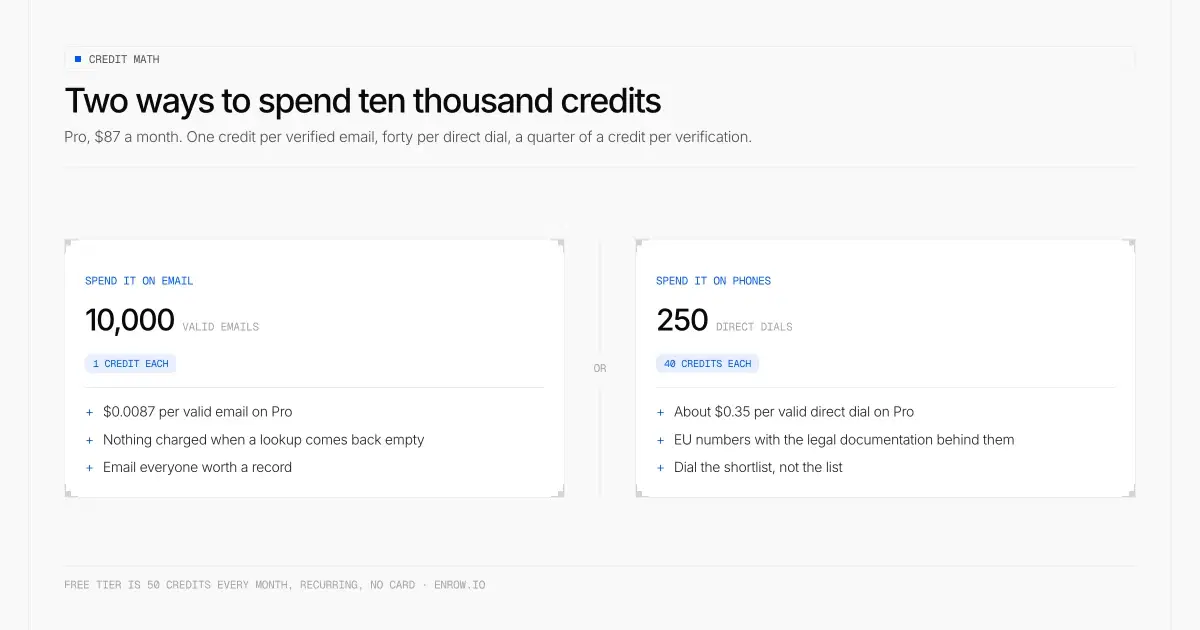
Ten thousand credits is ten thousand verified emails or two hundred and fifty direct dials — never both.
Phones cost forty credits each. On Pro that's about $0.35 per valid direct dial, and $0.47 on the 4,000-credit Start tier at $47 a month. Enrow covers EU numbers, which a lot of US-built finders can't do at all.
The tempting move is to blanket-enrich every Lead with a phone. Don't. Ten thousand credits is ten thousand emails or two hundred and fifty phones, and those two hundred and fifty should go to accounts where a call is genuinely the next action — an open opportunity, a warm reply, a named target account. Email everyone. Dial the shortlist.
If you enrich phones on every record that enters Salesforce, you'll spend your month's credits on people nobody was ever going to ring.
Where Enrow stops
It won't build your list.
There's no searchable database inside Enrow, and that's a choice rather than a gap we're planning to close. Databases go stale. The ones you'd buy from refresh on a three to nine month cycle, so a chunk of what you pull has already changed jobs. Real-time lookup is slower to think about and considerably more accurate at the moment you actually send. But it means you have to bring the person. Source in LinkedIn or Sales Navigator, then export.
It doesn't sequence either. Emelia, La Growth Machine and lemlist do that properly, and we're not going to build a worse version of their product. No technographics, either; company data is roughly what you'd find on LinkedIn.
If your requirement is one vendor covering sourcing, enrichment, sending and reporting, an all-in-one will sell you that. You'll trade contact accuracy for the convenience, and on a Salesforce org that accuracy is the thing your whole downstream depends on.
More than 5,000 companies use Enrow. It sits under the CRM you already run; that's the shape of the tool.
The setup I'd run
Sales Navigator for sourcing, if you're already paying for it. The embedded profile app inside Salesforce for context on records you own. Enrow's extension for the step where a profile becomes a Lead with a working address on it. And your own duplicate rules configured to warn, not silently allow, because now you're feeding them an Email field with something real in it.
For teams on HubSpot instead of Salesforce, the same logic applies and we ran the numbers separately in HubSpot data enrichment. If you're hunting the address itself and not the filing, LinkedIn email finder covers nine routes, most of them free.
The extension is the small piece. The habit of never creating a Lead you can't contact is the part that changes the quarter.
ready to stop wasting time?
Connected in minutes.
Verified data in seconds.
FAQ
Is there a Salesforce Chrome extension?
Yes. Salesforce publishes its own, called Sales Cloud Everywhere, on the Chrome Web Store, at 400,000 users and 4.2 out of 5 from 1.7K ratings as of September 15, 2026. It creates and updates Contact, Opportunity, Account and Lead records from any tab, and surfaces to-dos and engagement alerts. Salesforce's documentation makes no claim that it finds or verifies an email address or a phone number.
What are the best Chrome extensions for Salesforce?
It depends on the job. Admin and debugging work goes to Salesforce Inspector Reloaded and ORGanizer. Working records without leaving the page you're on is Sales Cloud Everywhere. Getting a verified contact off a LinkedIn profile and into Salesforce is a separate job that needs a data tool rather than a record tool, which is what Enrow's extension does.
Can LinkedIn integrate with Salesforce?
In three ways, with three different ceilings. The free LinkedIn Sales Navigator for Salesforce app embeds LinkedIn information and Sales Navigator insights inside your records. CRM Sync adds auto-save, activity writeback and ROI reporting, and LinkedIn states it is "only available for Sales Navigator Advanced Plus users". Neither is documented as supplying an email address or a direct dial. A Chrome extension that finds and verifies the contact writes the missing field itself.
Can I export a Sales Navigator list to Salesforce?
Not through a file. LinkedIn Help states that "LinkedIn currently doesn't offer the option to export account and lead information from Sales Navigator into a CSV or XLS file." CRM Sync is the only official route, and it requires Advanced Plus. A Chrome extension that pushes contacts to the CRM as you browse works around the missing export.
Does Salesforce enrich contact data natively?
Data Cloud resolves identity across records you already hold. Salesforce describes the goal as creating "a single, enriched customer profile" from internal sources. Its LinkedIn connector ingests engagement metadata, not deliverable contact details. Data.com Prospector and Data.com Clean were retired and no first-party replacement finds a person's email or direct dial, so contact discovery is a third-party layer.
Why do my Salesforce leads bounce?
Usually because the Email field was filled with a pattern guess rather than a verified address. A Lead with a bouncing email is worse than a Lead with no email: it damages sender reputation, and it counts as contactable in every report you run. Verify before the record is created, not after the campaign.
How much does it cost to get a verified email into Salesforce?
With Enrow, $0.017 per valid email on the $17 Start plan and $0.0087 on Pro at $87 for 10,000 credits. A direct dial costs 40 credits, roughly $0.35 per valid number on Pro. Nothing is charged when a lookup returns no valid result. The free tier is 50 credits every month with no card.
Is Sales Navigator worth it alongside a contact finder?
For sourcing, yes. The filters and saved searches are hard to replace, at $119.99 a month for Core or $159.99 for Advanced. For contact data, no. LinkedIn does not publish addresses or direct dials, and the CRM Sync that would move records automatically is gated to Advanced Plus, for which LinkedIn publishes no price.
How I verified this
Every Salesforce claim on this page comes from Salesforce's own properties, read on September 15, 2026: the Chrome Web Store listing, the Trailhead modules for Sales Cloud Everywhere and duplicate management, the Data Cloud identity resolution post on the developer blog, and the Data 360 LinkedIn connector guide. LinkedIn claims come from LinkedIn Help articles a106005, a8037044, a103029 and a566336, same date. Sales Navigator prices were checked against LinkedIn's compare-plans page on August 28, 2026.
Enrow figures come from our own pricing and product pages. The 60% find rate and the sub-1% bounce are observed averages from my own lists, stated as such. Anything I could not confirm live is flagged in the footnote below, not smoothed over.
Get 50 free credits
Stop creating Salesforce Leads nobody can email. Get 50 free credits → Every month, no card.