Key takeaway Microsoft 365 broke on Thursday, November 12, 2026, and Outlook took the worst of it. Users could not open their mailbox in a browser, in the desktop app or on a phone. Teams, SharePoint and Copilot were hit too. Microsoft's first public notice came at 12:54 p.m. ET: "issues accessing Exchange Online mailboxes through multiple connection methods in the Americas." Thirteen minutes later it was "users in any region." Its own incident record starts earlier, at 16:17 UTC, 97 minutes before that first post. Downdetector reports for Outlook peaked at 128,874 at 1:09 p.m. ET. The cause Microsoft has given is neither a traffic surge nor an attack. Servers were "failing automated health checks, which is causing them to become unavailable", and the load they dropped strained the ones still standing. At 21:41 UTC the incident was still open, with no root cause published. AWS and Google were not down. Their status pages showed no incident all afternoon, and their Downdetector reports ran at about 1% of Outlook's. Nothing indicates that email sent to Outlook users was lost. Microsoft's incident lists the four ways a person opens a mailbox and never SMTP, the protocol servers use to deliver mail. And when a receiving server does refuse mail, the sender queues it and retries: for 8 hours at Mailgun, 24 at Exchange Online, 7 days at Gmail.
Outlook stopped opening for Microsoft 365 users a little after noon Eastern on Thursday, November 12, 2026. Nine hours of working day were left on the US West Coast, and by late afternoon in New York Microsoft was still restarting servers. If you came here to find out whether it was just you, it was not.
Most of the coverage is the same four quotes from Microsoft's status account. I went to the documents under them. The whole thread, with the timestamp of each post. The incident log Microsoft sends to admins, which holds thirteen updates the public never saw. The Downdetector readings, taken by the reporters who watched the curve. The AWS and Google status pages, because a headline said they were down as well.
Then the question I could not find answered anywhere: what happens to an email addressed to a mailbox that nobody can open.
A disclosure before you read on. I run Enrow, which finds and verifies work emails, so whether a message reaches its recipient is my trade. Everything below is somebody else's document, quoted and linked.
The outage at a glance
| Date | Thursday, November 12, 2026 |
| Microsoft incident numbers | EX1550543 (Exchange Online), MO1550821 (Microsoft 365) |
| Start, per Microsoft's record | 16:17 UTC, 11:17 a.m. ET |
| First public notice | 17:54 UTC, 12:54 p.m. ET, on X |
| Downdetector peak, Outlook | 128,874 reports at 1:09 p.m. ET |
| What users could not do | Open a mailbox through Outlook on the web, the desktop app, a phone or the REST API |
| Other services Microsoft listed | Teams, SharePoint Online, Copilot, Defender XDR, Planner, To Do, Intune, Defender for Office 365, Purview, Power BI |
| Cause given | Servers failing automated health checks and dropping out. Root cause not published |
| Status at 21:41 UTC | Open. First servers back at 4:00 p.m. ET |
| AWS and Google | No incident on either provider's status page |
| Email sent to Outlook users | No delivery failure reported by Microsoft |
The outage, post by post
Microsoft ran the whole incident through one thread on its Microsoft 365 Status account, and every newsroom quoted from it. Here it is in full, in order, with the clock time of each post. Eastern times are converted from the UTC timestamp X attaches to the post.
Two incident numbers matter. EX1550543 is the Exchange Online incident, the one that took the mailboxes. MO1550821 is the wider Microsoft 365 incident opened once other services followed. A third, TM1550488, covers a Teams problem from earlier that morning, which Microsoft declared resolved on X 45 minutes before its first Outlook post.
| ET | UTC | Microsoft's exact words | Post |
|---|---|---|---|
| 10:40 a.m. | 15:40 | "We're investigating reports of users experiencing issues when accessing or using Microsoft Teams functionality in North America, and more details can be found in the Microsoft 365 admin center under TM1550488." | Teams, opened |
| 12:09 p.m. | 17:09 | "Our mitigative actions have successfully restored service health and functionality. Customer impact is now fully resolved." | Teams, closed |
| 12:54 p.m. | 17:54 | "We're investigating reports of users experiencing issues accessing Exchange Online mailboxes through multiple connection methods in the Americas. More details can be found in the Microsoft 365 admin center under EX1550543." | First Outlook notice |
| 1:07 p.m. | 18:07 | "While we're working to mitigate impact, we've confirmed the issue may affect Microsoft 365 service connectivity for users in any region" | Any region |
| 1:35 p.m. | 18:35 | "We've determined a portion of infrastructure is experiencing elevated load across multiple regions, which is likely contributing to the connectivity errors." | Elevated load |
| 1:48 p.m. | 18:48 | "We've begun redistributing connection traffic across our broader worldwide infrastructure to help balance the load." | Traffic moved |
| 2:12 p.m. | 19:12 | "We're aggressively pursuing all pathways to reduce impact. We've paused all deployments, we're moving additional traffic off the affected infrastructure, and we're restarting affected servers to return them to service." | Deployments paused |
| 2:31 p.m. | 19:31 | "We determined the elevated load isn't driven by an increase in traffic, but by a number of servers being unexpectedly unavailable; straining the remaining infrastructure. We're working to safely return them to service." | Not a traffic spike |
| 2:50 p.m. | 19:50 | "We're testing a configuration change to address a problem that's causing servers to fail automated health checks and become unavailable. In parallel, we've initiated a restart of all affected servers and are monitoring health as they return to service." | Health checks |
| 3:19 p.m. | 20:19 | "We've not identified any recent change correlated with the start of impact; however, our investigation indicates the failed health checks may originate from a specific component that's responsible for processing server health. We've taken steps to prevent additional servers from being impacted while we work to return the affected servers to service." | One component |
| 4:00 p.m. | 21:00 | "We've validated an alternative service health check method, which allowed a subset of affected servers to successfully return to service. We're now applying this change more broadly. We're also preparing automated recovery systems to continually detect and restart unresponsive servers, to maintain service stability while this change progresses." | First servers back |
| 4:40 p.m. | 21:40 | "We're actively restarting and validating the affected servers to return them to service. In parallel, we're assessing whether reverting a small number of recent configuration updates we identified could help accelerate recovery." | Rollback considered |
Microsoft 365 Status@MSFT365StatusWe're investigating reports of users experiencing issues accessing Exchange Online mailboxes through multiple connection methods in the Americas. More details can be found in the Microsoft 365 admin center under EX1550543.
November 12, 2026
The second post is the one that changed the size of the story. Thirteen minutes after "the Americas", it was everyone:
Microsoft 365 Status@MSFT365StatusWhile we're working to mitigate impact, we've confirmed the issue may affect Microsoft 365 service connectivity for users in any region, more information will be provided in the Microsoft 365 admin center under EX1550543.
November 12, 2026
Read top to bottom, the thread is a diagnosis changing its mind in public. At 1:35 the problem is load. By 2:31 the load is a symptom, and the real fault is machines dropping out. By 3:19 Microsoft is no longer blaming the machines at all, but the component that decides whether a machine is healthy. And at 4:40 it is weighing a rollback of changes it had said, at 3:19, did not line up with the start of the trouble.
Microsoft's own status page, status.cloud.microsoft, carries a longer version under the title "Users may be unable to connect to multiple Microsoft 365 services". Its list of what could be hit grew through the afternoon. At 21:01 UTC: Exchange Online, Microsoft Teams, SharePoint Online, Microsoft Copilot 365, Microsoft Defender XDR, Microsoft Planner, Microsoft To Do and several Purview services. At 21:41 UTC it had added Microsoft Intune, Microsoft Defender for Office 365 and Power BI. The page was also forty minutes ahead of X on the change question, with this sentence at 21:01: "our review of recent changes has identified a small number of configuration updates that we're investigating as potential contributors to the issue."

What Microsoft 365 Copilot answered during the outage.
What Microsoft told admins and never posted
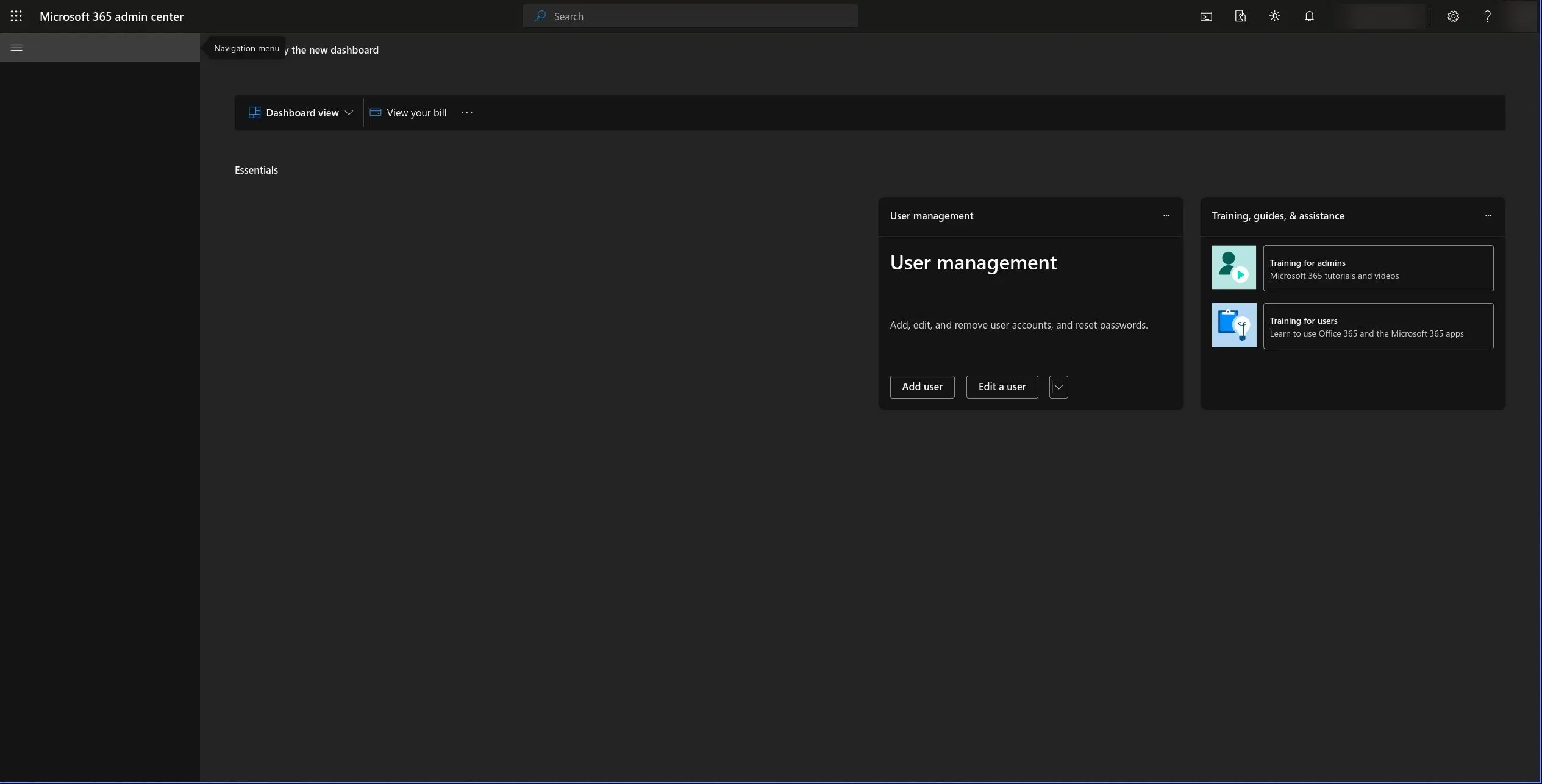
The Microsoft 365 admin center during the outage. The frame loads, most of the dashboard does not. Account name blurred.
The X thread is the short version. The long one sits in the Microsoft 365 admin center, behind a login, and during the outage the admin center itself was hard to reach. TechCrunch noted it "wasn't reachable at the time of publication."
One university publishes its copy. The University of Pennsylvania mirrors the incident reports Microsoft sends to its tenant on a public page, refreshed every 15 minutes. I read the extract generated at 21:20 UTC. It held thirteen updates for EX1550543, against the nine posts X had by then, and the timestamps are in UTC.
Start with the header of the record, because it changes the story:
- Title: "Users may be unable to connect to their mailboxes in Exchange Online through multiple connection methods"
- Start time: Thursday, November 12, 16:17:27 UTC. That is 11:17 a.m. Eastern.
- Feature group: "E-Mail and calendar access"
- Root cause: "N/A"
Microsoft's first note to admins went out at 16:20 UTC. Its first public post came at 17:54 UTC. So the incident had been open on Microsoft's side for 97 minutes before anyone outside an admin console was told. That start time is the one in the live record, and Microsoft may revise it in its post-incident report.
Two outside measurements fill in the gap, and they agree with each other. Downdetector, in its own summary: "Reports to Downdetector about Outlook began climbing at about 17:25 UTC, 12:25 in New York." And Doug Madory, Director of Internet Analysis at Kentik, who watches the traffic itself, posted: "Kentik OTT data shows Microsoft Exchange Online traffic falling off a cliff at ~17:35 UTC (12:35pm ET), about 20 min before @MSFT365Status acknowledged the outage."
Four clocks, then. Microsoft's record opens at 16:17 UTC. Users start reporting around 17:25. Traffic collapses around 17:35. The public is told at 17:54. Whatever was wrong for the first hour was small enough, or intermittent enough, that almost nobody noticed.
| ET | UTC | What the admin-center update says, verbatim |
|---|---|---|
| 11:20 a.m. | 16:20 | "We're investigating a potential issue and checking for impact to your organization." |
| 12:45 p.m. | 17:45 | "We’ve identified connectivity errors occurring on a portion of Exchange Online infrastructure which receives and processes users’ access requests." |
| 1:29 p.m. | 18:29 | "We've redirected a portion of traffic away from the affected infrastructure in the US to reduce load, and we're evaluating doing the same in other regions." |
| 1:43 p.m. | 18:43 | "We've identified a pattern in which affected servers are becoming intermittently unavailable, which places additional strain on the remaining infrastructure and contributes to the connectivity issues users are experiencing." |
| 1:57 p.m. | 18:57 | "we're investigating whether the elevated traffic reflects a genuine increase in requests or a shift in how traffic is being routed across our infrastructure." |
| 2:06 p.m. | 19:06 | "As a precaution, we've paused all deployments and configuration changes while we review recent changes for any correlation to this event." |
| 2:43 p.m. | 19:43 | "We've identified that affected servers are failing automated health checks, which is causing them to become unavailable, and this may be related to a recent change to a component involved in processing those checks." |
| 2:57 p.m. | 19:57 | "We're deploying a targeted change to bypass this component on a subset of servers to validate whether this restores availability" and "We're also investigating why affected servers are experiencing elevated processor usage while handling requests." |
| 3:38 p.m. | 20:38 | "While validating the targeted change, we found that many of the affected servers have become unresponsive, which is preventing us from confirming whether the change is effective." |
| 3:56 p.m. | 20:56 | "Additionally, our review of recent changes has identified a small number of configuration updates that we're investigating as potential contributors to the issue." |
Three things in that log never made the public thread.
The first is the list of what broke. Every full update repeats the same four "potentially impacted connection methods": Outlook on the web, Messaging API (MAPI), Exchange ActiveSync (EAS) and the REST API. Those are the four ways a person or an app opens a mailbox. SMTP, the protocol mail servers use to hand messages to each other, is not on the list. Hold on to that, it decides what happened to your email, and I come back to it below.
The second is the processor. At 2:57 p.m. Microsoft said the affected servers showed "elevated processor usage while handling requests". The X thread never mentions CPU.
The third is the back-and-forth on whether a change caused it. At 2:43 p.m. the failure "may be related to a recent change". Fourteen minutes later: "we haven't identified any recent changes that correlate with the start of impact". By 3:56 p.m. the review "has identified a small number of configuration updates" under investigation. On X, the middle position stood alone until 4:40 p.m.
How big it was
Nobody outside Microsoft knows how many mailboxes were unreachable, and Microsoft has not said. What exists is Downdetector, which counts reports typed in by users. A report is one person saying "it's broken for me", so the curve shows when and how fast, not how many.
With that caveat, the readings journalists took off the Outlook page line up well:
| When (ET) | Outlook reports on Downdetector | Who read it |
|---|---|---|
| Around noon | "Reports started coming in at around noon and climbed rapidly, with over 12,000 reports within a half hour." | PIX11 |
| 1:09 p.m. | "after reaching a peak of 128,874 reports at 1:09 p.m. ET, Microsoft Outlook outage reports have begun to tick down, with the latest number dropping to 92,914 at around 1:50 p.m. ET." | USA TODAY, via Yahoo |
| 1:11 p.m. | "Outage reports for the Outlook email service hit a peak at 10:11 a.m. Pacific with about 130,000 reports and logged about 93,000 reports at 10:56 a.m." | CRN |
| Just after 1 p.m. | "Nearly 130,000 users on outage tracker Downdetector reported problems accessing Outlook just after 1 p.m. ET." | AP, later version |
| Around 1:30 p.m. | "As of around 1:30 p.m. ET, more than 120,000 users on outage tracker Downdetector reported problems accessing Outlook" | AP, first version |
| 2 p.m. | "By 2 p.m. EST, over 97,000 reports had been submitted to the site." | WKYT |
| 3:15 p.m. | "As of 3:15 p.m., there were still more than 63,000 reports of issues." | CTV News / BNN Bloomberg |
One outlier: the same CTV piece prints "nearly 140,000" as of 1:30 p.m. ET, where the AP has more than 120,000 at that minute. I keep the peak three outlets agree on, about 129,000 a few minutes after 1 p.m., and USA TODAY has it to the unit: 128,874.
Downdetector then published its own reading of the afternoon, and it is the best measure of scale available. Combined reports for five Microsoft services "reached 19,650 a minute, against <15 a minute on an average Thursday." Outlook reports "peaked at more than 2,000 times their normal level." And the spread was fast: reports "reached 74 countries and territories in about an hour", with "nearly 3 in 10" coming from outside the US between 17:00 and 18:55 UTC. Microsoft's first post had said "the Americas".
CRN's reporter went further than anyone and read the peak of every service off the tracker. Put side by side, the numbers say what kind of outage this was.
| Service | Peak reports on Downdetector | Peak time (Pacific, as CRN prints it) |
|---|---|---|
| Outlook | about 130,000 | 10:11 a.m. |
| Microsoft 365 | about 46,000 | 10:10 a.m. |
| Microsoft Store | about 11,000 | 10:27 a.m. |
| Copilot | about 6,000 | 10:26 a.m. |
| Teams | about 5,000 | 10:48 a.m. |
| Amazon Web Services | about 1,000 | 10:52 a.m. |
| Gmail | 1,000 | logged at 11:40 a.m. |
| Azure | 875 | 10:20 a.m. |
Outlook alone drew 26 times the reports Teams did. CRN adds the right warning: "There could be overlap in the users experiencing outages with each of the Microsoft products and services."
Who it hit
Microsoft does not publish how many people use Outlook, and the figures printed on Thursday do not agree with each other. The number it does publish is seats. On its January 28, 2026 earnings call: "paid M365 commercial seats grew 6% year-over-year to over 450 million". That is the size of the service that had a bad afternoon. How many of those seats were locked out, nobody has published.
The organisations that said so publicly are mostly the ones with a duty to say so.
| Who | What they told people |
|---|---|
| Commonwealth of Massachusetts | A text to state workers at 2:46 p.m.: "The Commonwealth’s email and other Microsoft services are currently unavailable" (GBH News) |
| Unity Health Toronto, a hospital network | It "has declared a Code Grey in response to a worldwide Microsoft 365 service outage", adding that "patient and resident care is not affected" (its own notice) |
| Court of King's Bench of Alberta | "Delays may also affect the receipt and processing of electronically submitted materials." (court notice) |
| Newfoundland and Labrador government, City of St. John's | "an email outage for N.L. provincial government and City of St. John's employees" (CBC, via Yahoo) |
| North Las Vegas, Clark County, Boulder City | Posts "warning that responses from employees may be delayed" (FOX5 Las Vegas) |
| Skydance, NBCUniversal | Employees "confirmed to Deadline they were in the dark as of late-morning L.A. time" (Deadline) |
| TechCrunch | "TechCrunch will reach out to Microsoft for comment, as soon as our own email service has resumed." (TechCrunch) |
Then the second ring, the software that plugs into Microsoft 365. Reuters reported two AI companies in it: "OpenAI said it was investigating an issue with Microsoft connectors in which new connections may be broken and tools are not working as expected", and "Anthropic said it had identified an issue with an upstream provider affecting its Microsoft 365 connector." Microsoft's own explanation for that ring is in a separate notice, PP1550869, about Microsoft Graph, the interface outside apps use to reach mail and calendars: "an upstream outage impacting a core service dependency for Microsoft Graph is causing calls for Graph data to intermittently fail".
One line from the trade press deserves to be pinned above every continuity plan. Insurance Business America, writing for brokers: "A plan that switches staff to Teams when Outlook fails offers no backup when both run on the same Microsoft infrastructure."
What caused it, as far as Microsoft has said
There is no root cause yet. The incident record reads "Root Cause: N/A", and nothing Microsoft published by 21:45 UTC names one. What it has established comes in four steps, and each one overturned the step before.
It was not a rush of traffic. For the first hour Microsoft treated this as overload, and at 1:27 p.m. ET the wider incident note even mentioned "an unexpected increase in a specific type of service traffic". Then came the correction, in the admin-center wording: "the elevated load isn't driven by an overall increase in traffic, but by a large number of servers being unexpectedly unavailable, which is shifting load onto the remaining infrastructure."
The servers had not crashed. They were taken out. Microsoft again: "affected servers are failing automated health checks, which is causing them to become unavailable".
The suspect is the checker. Microsoft's investigation, it wrote, "indicates the failed health checks may originate from a specific component on the affected servers that's responsible for processing them." So the working theory at 3 p.m. was a fleet of machines being marked sick by the thing that takes their temperature.
And going around the checker worked. At 4:00 p.m. ET: "We've validated an alternative service health check method, which allowed a subset of affected servers to successfully return to service."
Two questions are still open in Microsoft's own text. Why the affected servers show "elevated processor usage while handling requests", and which of the "small number of configuration updates" from its change review, if any, set this off. The 4:40 p.m. post suggests Microsoft takes the second one seriously: it was "assessing whether reverting" those updates "could help accelerate recovery."
On the question everyone asks first: no outlet has reported an attack, and Microsoft's notices describe none. SecurityWeek wrote that Microsoft "is still investigating what triggered the failures and has disclosed no evidence of a cyberattack." WIRED: "There is currently no indication that a cyberattack caused the current Microsoft outage."
The Outlook zero-day in the news that morning is a different story
One coincidence needs its own section, because the two stories will be read together. At 14:24 UTC on November 12, just under two hours before the start time in Microsoft's incident record, the trade outlet Cyber Security News posted that CISA had confirmed active exploitation of an Outlook vulnerability, CVE-2026-124194.
Cyber Security News@The_Cyber_News‼️ CISA Confirms Active Exploitation of Outlook User Interaction 0-Day Vulnerability Details: https://t.co/9hqn7XHeqI The U.S. Cybersecurity and Infrastructure Security Agency has confirmed active exploitation of a Microsoft Outlook zero-day vulnerability, CVE-2026-124194, that can expose user authentication data. According to Microsoft’s security advisory, an attacker can send a specially crafted message file and persuade a victim to open it in Outlook. The application may then connect to an attacker-controlled network location without showing its usual warning about external content. Microsoft released security updates for an actively exploited Outlook network-spoofing flaw (CVSS 6.5) that allows unauthenticated attackers to spoof networks. #CybersecurityNews
November 12, 2026
Its article describes a flaw in the Outlook application, the program on the user's machine. An attacker sends a specially crafted message file and has to persuade the victim to open it. Outlook can then connect to a network location the attacker controls without its usual warning about external content, and that connection can give away the user's NTLMv2 hash, which is authentication data. The outlet files the flaw as spoofing, rated CVSS 6.5, says the Preview Pane is not a way in, and lists Microsoft 365 Apps for Enterprise, Office LTSC 2021 and Office LTSC 2024 as affected, with security updates released. By its account CISA added the flaw to its Known Exploited Vulnerabilities catalog on November 10, two days before the outage, with a remediation deadline of November 24.
Nothing ties it to Thursday's outage. The vulnerability works on one person at a time and needs that person to open a file. The outage was Exchange Online servers failing their own health checks, on Microsoft's side of the connection. The article on the vulnerability does not mention the outage, Microsoft's incident notices do not mention the vulnerability, and no outlet I read connects the two. The timing is a coincidence until somebody publishes otherwise.
What to do about it does not depend on whether Outlook is up: install the security update. One limit on this section. Microsoft's own advisory page would not load for me, so the description above is the outlet's and not Microsoft's.
How a health check takes down healthy servers
This is the technical part, and it explains why an outage with no broken hardware, no attack and no traffic spike can still last an afternoon.
A service the size of Exchange Online does not run on a server. It runs on fleets of them behind load balancers, and the load balancer needs to know which machines can take a request. So it asks. Every few seconds it sends each machine a small test, the health check, and Microsoft's own Azure documentation states the rule in one sentence: "When a health probe fails, the load balancer stops sending new connections to the respective unhealthy instance." (Azure Load Balancer health probes)
On a normal day that rule is what keeps you from ever noticing a dead server. One machine fails, it stops receiving traffic, the rest absorb its share.
The rule turns dangerous when the check itself is wrong. Amazon's engineers wrote the clearest description of the trap I know, in an essay on implementing health checks: "If automation removes servers from service when they still could have performed useful work, the automation does more harm than good." The hard part, they add, is the tension between catching single failures fast and "the harm done by a false positive failure across the entire fleet."
Now put Thursday's log next to that. Microsoft at 2:43 p.m. ET: servers "are failing automated health checks, which is causing them to become unavailable". At 2:57 p.m.: the failures "may originate from a specific component on the affected servers that's responsible for processing them." A fleet-wide false positive is one way to read those two sentences, and Microsoft has not confirmed that reading.
What happens next has a name. Google's Site Reliability Engineering book gives it a chapter, Addressing Cascading Failures, which opens with the definition: "A cascading failure is a failure that grows over time as a result of positive feedback." The mechanism is simple arithmetic. Take a tenth of the machines out and the other nine-tenths each carry 11% more. Take half out and the survivors carry double. The book notes that servers do not even need to crash for this to start, they can "fail health checks without crashing. The effect can be very similar to crashing: more servers appear unhealthy, the healthy servers tend to accept requests for a very brief period of time before becoming unhealthy, and fewer servers participate in handling requests."
Microsoft described that loop twice without naming it. At 1:43 p.m.: servers "becoming intermittently unavailable, which places additional strain on the remaining infrastructure". At 2:18 p.m.: unavailable servers "shifting load onto the remaining infrastructure."
The same chapter explains the two things that made the afternoon so long.
Restarting does not work on its own. "It’s often difficult to escape this scenario because as soon as servers come back online they’re bombarded with an extremely high rate of requests and fail almost immediately." Microsoft's log mentions restarting servers from 1:19 p.m. on. At 3:38 p.m. it reported that "many of the affected servers have become unresponsive".
And the cause stays hidden while it is happening. In a cascade this tangled, the book says, "it’s unlikely that the causal chain will be fully diagnosed during an outage." Which is where the record stands: root cause, N/A.
There is a standard defence, and Amazon's essay calls it failing open: "When an individual server fails a health check, the load balancer stops sending it traffic. But when all servers fail health checks at the same time, the load balancer fails open, allowing traffic to all servers." The logic is that a whole fleet reporting sick is more likely a broken thermometer than an epidemic. I do not know how Microsoft's health system is built, and it has not said. But look at what its engineers ended up doing by hand between 2:57 and 4:00 p.m. They took "steps to prevent additional servers from being removed from service", bypassed the suspect component on a few machines, and then "validated an alternative service health check method". That is failing open, done manually, more than three hours after the first public post.
One piece of context for the curious. The on-premises edition of Exchange ships with a health system of its own, which Microsoft documents as managed availability: "an internal process that runs on every Exchange server. It polls and analyzes hundreds of health metrics every second." Whether the component that misfired on Thursday is related to it, Microsoft has not said, and I am not going to guess.
AWS and Google were not down
The CNBC headline that sent many people looking reads "Microsoft outage hits Outlook. AWS and Google users also report issues". The article under it gives the other two a single sentence: "Amazon Web Services and Google users also reported outages on the site." The site is Downdetector. CNBC quotes no figure and no statement from Amazon or Google.
The figures exist elsewhere, and they are small. CTV News read "Amazon Web Services (1,350) and Gmail (1,000), shortly after 2 p.m." That is about one report for every hundred Outlook was getting at its peak.
The timing says more. Downdetector's automated alerts carry a start time for each service:
| Service | Downdetector alert: "User reports indicate problems with … since" |
|---|---|
| Microsoft Outlook | 12:27 PM EST |
| Gmail | 1:05 PM EST |
| 1:15 PM EST | |
| Amazon Web Services | 1:20 PM EST |
| Cloudflare | 1:27 PM EST |
Everything that is not Microsoft starts 38 minutes to an hour after Outlook, once the outage was news and people were checking whatever else felt slow.
Then there are the providers' own dashboards, which I read between 21:21 and 21:31 UTC, while Microsoft's incident was still open:
- The AWS Health Dashboard listed no event starting on November 12. Its most recent entry was an EC2 problem in the Tokyo region, closed the day before with "The issue has been resolved and all services are operating normally."
- The Google Workspace Status Dashboard, which covers Gmail, read "No incidents".
- Google Cloud Service Health read "No broad severe incidents".
- Microsoft's own Azure status page read "There are currently no active events."
So where did a thousand Gmail reports come from? SecurityWeek offers the most convincing answer I found: "Some users of Google Workspace (formerly G Suite) also reported trouble accessing their Google-hosted email through Outlook desktop and mobile email clients." The mail was at Google. The app in front of it was Microsoft's.
My reading, and it is a reading: one provider had an outage on Thursday. The other two had users who typed their name into Downdetector.
What happens to an email sent to Outlook while it is down
Short version: it waits. An outage of this kind delays mail, it does not destroy it, and the reason is in how the plumbing is laid out.
A mailbox has two doors
One door is for people. When you open Outlook on your laptop, on your phone or in a browser, the app connects to Exchange Online and asks for your mailbox. Microsoft's incident names those entrances one by one: Outlook on the web, MAPI for the desktop client, Exchange ActiveSync for phones, the REST API for other apps. The scope line of the record says who is concerned: "This issue may affect users attempting to access their mailbox in Exchange Online using the affected connection methods."
The other door is for servers. A message coming from outside never touches MAPI or a browser. The sending server looks up the recipient domain's MX record in DNS, connects to whatever host that record names, and hands the message over in SMTP. The lookup rule is in RFC 5321, section 5.1: "The lookup first attempts to locate an MX record associated with the name." On Microsoft 365, that front desk is a filtering layer of its own. Microsoft's mail flow documentation puts it this way: "all messages sent to your organization pass through the built-in security features for all cloud mailboxes before users see them."
Today's incident is filed under "E-Mail and calendar access", and SMTP appears nowhere in thirteen updates. Going by Microsoft's own record, the door that broke is the one people use.
Microsoft keeps a separate drawer for the other kind of failure. Of the eighteen Exchange Online entries in the thirty days of reports on Penn's mirror, six are filed under "E-Mail timely delivery". Thursday's is not among them.
That is why the same afternoon looked so different from the two sides. Inside a company on Microsoft 365, nobody could read or write anything, and the AP heard from users "saying they couldn’t send and receive emails, or encountering delays." From outside, a sender saw nothing at all. No error, no bounce.
One limit on that reading. A record that does not list mail transport is not a statement that every message got through on time, and Microsoft has published nothing about delivery delays for this incident so far. If it does, this section changes.
When the server door does not answer
Suppose the worst case, a receiving server that refuses connections or answers with an error. SMTP was designed around that case, and the standard says so in passing: "Experience suggests that failures are typically transient (the target system or its connection has crashed)".
A receiving server that cannot take a message right now answers with a code starting with 4. RFC 5321 calls it a "Transient Negative Completion reply" and defines it in one line: "the error condition is temporary, and the action may be requested again." A code starting with 5 is the permanent kind, where the standard says the client "SHOULD NOT repeat the exact request". A mailbox that does not exist is a 5. A provider having a bad afternoon is a 4, or silence.
On a 4, or on no answer, the sending server keeps the message in a queue and tries again later. Section 4.5.4.1 of the standard sets the patience expected: "Retries continue until the message is transmitted or the sender gives up; the give-up time generally needs to be at least 4-5 days."
Not every sender is that patient. Here is how long each one documents that it keeps trying before it gives up and returns the message.
| Who is sending | Keeps trying for | Their exact words |
|---|---|---|
| Gmail and Google Workspace | 7 days | "Gmail tries to resend the message every few minutes, for up to 7 days. After 7 days, the message is returned to sender." (Google Workspace admin help) |
| Postfix, default setting | 5 days | "Consider a message as undeliverable, when delivery fails with a temporary error, and the time in the queue has reached the maximal_queue_lifetime limit." Default: 5d (Postfix manual) |
| Twilio SendGrid | 72 hours | "Twilio SendGrid retries delivering a deferred message for 72 hours from the time of the first deferral." (SendGrid glossary) |
| Exchange Server, default setting | 2 days | The message expiration timeout is "the maximum length of time that an Edge Transport server or Mailbox server (the Transport service) tries to deliver a failed message." Default: 2 days (Microsoft Learn) |
| Exchange Online | 24 hours | "Exchange Online repeatedly tries to deliver the message over 24 hours. Only after 24 hours of unsuccessful delivery attempts does a recipient receive this NDR." (Microsoft Learn, NDR 4.4.7) |
| Amazon SES | 14 hours | "When a soft bounce event happens, SES continuously retries to deliver your email for 14 hours before giving up." The next sentence of the same post says 12, and the SES developer guide only says "an extended period of time" (AWS messaging blog) |
| Postmark | 12 hours | "We retry most domains every 10 minutes for up to 12 hours before we finally Bounce the message ourselves." (Postmark support) |
| Mailgun | 8 hours | "Mailgun will re-attempt delivery in increasing intervals for a maximum of 8 hours until the message is either delivered, results in a permanent failure, or reaches the retry expiration." (Mailgun help) |
The shortest window in that table is eight hours. By Microsoft's own start time, the incident had run 5 hours 24 minutes when I last checked, at 21:41 UTC. So even in the worst case, with the server door shut from the first minute, no platform on that list would have given up on a message yet.
Six of those eight give up sooner than the four to five days the standard asks for, and three of them inside a single day. That is a choice, and a defensible one for a password reset that is useless after ten minutes. For a sales email it means a long enough outage turns into a bounce you did nothing to earn.
What the sender sees
Mostly nothing. A queued message produces no notification for the first hours. Exchange Server's default is to warn the sender only after four hours, and Microsoft explains why: the delay "prevents the sending of unnecessary delay DSN messages due to temporary message transmission failures that are ultimately resolved."
If the retry window runs out, the sender gets a non-delivery report, and on a sending platform the address gets a status. This is where an outage can hurt a list that deserved no harm, because platforms do not treat an expired retry the same way. The thresholds those statuses feed into are in my page on email bounce rate.
Amazon SES is the most forgiving. Its documentation says it "retries soft bounces multiple times" and that "only hard bounces count toward your bounce rate". SendGrid's support page starts from the same calm premise, "A deferral doesn’t necessarily mean that something went wrong; all senders receive deferrals", and then says what happens at hour 72: "the destination email address is automatically placed on your block list." Postmark stops trying and labels the message a soft bounce, with the reassurance that "You do not need to reactivate Soft Bounce addresses before sending to them again."
None of those statuses says the address is bad. A real person still sits behind it, at a company whose provider had a bad day.
What it looks like when the server door does break
It has happened more than once this year. Three cases, each described by Microsoft in words it did not use on Thursday.
On January 22, 2026, during an outage that ran close to ten hours, the alert Microsoft sent to admins read: "Users may be receiving a "451 4.3.2 temporary server issue" error message when attempting to send or receive email through Outlook." (archived alert email). A 451 is the temporary kind. The sending server holds the message and comes back.
On September 4, 2026, BleepingComputer published the alert for incident EX1467029, where mail to and from outside domains hit "intermittent 'Server busy' errors". That alert contains the only instruction to outside senders I have found in any Microsoft incident notice: "Depending on the client, the service should attempt to periodically retry sending the email previously impacted by the issue. If the initial sender received an NDR after 24-72 hours (different clients or email providers can vary), they will need to send a new email." So Microsoft's own rule is the retry rule: wait, and resend only what came back with a non-delivery report.
The third case is the nasty one, and it was still open three days before Thursday. From November 6 to November 9, 2026, incident EX1545193 on Penn's mirror: "Users may have been unable to send email messages to Outlook.com, Hotmail.com, or Live.com email addresses." Senders received non-delivery reports carrying 550 5.7.1 or 550 5.7.23. Those are permanent codes, the family every sending tool treats as a hard bounce. The root cause, in Microsoft's words: "A recent update to the spam enforcement rules caused email messages to be incorrectly marked and blocked".
Read that again as someone who maintains a contact list. For close to three days, mail to valid Outlook.com, Hotmail.com and Live.com addresses could come back with a permanent error because of a mistake on Microsoft's side. Any tool that deletes or suppresses on a 550 was removing good contacts.
What a sales team should do with its sends
I run a company that finds and verifies work emails, so this is the part I get asked about. Six things, in the order they come up.
Do not resend. Whatever you sent to a Microsoft-hosted contact on Thursday afternoon is either already in their mailbox or sitting in a queue that is still being worked. A second copy does not arrive faster. It arrives as a duplicate, in front of someone who has just got their inbox back and is digging through an afternoon of backlog. The exception is the one Microsoft itself names: a message that came back with a non-delivery report has to be sent again.
Check your own sending side if you are the one on Microsoft 365. Many sales tools do not send from their own servers. They send through your mailbox, over Microsoft's APIs, and the REST API is on Microsoft's list of what broke. A second notice that afternoon, PP1550869, said in so many words that "Flows, apps, and connectors that rely on Microsoft Graph data are intermittently failing." A sequence step scheduled for Thursday afternoon may never have left. Your tool's activity log will say whether it retried, skipped or failed the step.
Hold new cold sends to those companies until Microsoft closes the incident. Nothing technical forces this. It is about attention: an email that lands during an outage gets read, if at all, in the worst hour of the recipient's week. You can tell who is on Microsoft from the outside. Look up the domain's MX record: a host ending in mail.protection.outlook.com means the mail is handled by Microsoft 365, and so does one ending in mx.microsoft, the newer form Microsoft assigns to domains that enable DNSSEC.
Leave your list alone. If your sending tool shows deferrals, soft bounces or blocks dated November 12 against Microsoft-hosted domains, they describe Microsoft's afternoon, not your data. Deleting those contacts, or marking them invalid, throws away good addresses. Check them again once the incident is closed.
Read a verifier's answer for what it is. A real-time verification asks the recipient's mail server a question (the long version is in my piece on bulk email verification). If that server is struggling, the only honest result is "could not confirm", and a tool that turns silence into "invalid" is making it up. Nothing in Microsoft's record says its mail servers stopped answering on Thursday, so take this as a general rule and not as a diagnosis of this outage.
And on Friday, split the numbers by provider before judging any campaign that ran through November 12. Opens, replies and bounces, grouped by recipient MX. A dip that sits entirely on Microsoft-hosted domains is the outage, and your subject line had nothing to do with it.
The third Exchange failure in seven days
Thursday did not come out of a clear sky. Penn's mirror keeps thirty days of Microsoft's reports, and the extract I read held one hundred entries, eighteen of them for Exchange Online. Two sit in the week before the outage.
The first is the one that should bother Microsoft. On the night of November 6, notice EX1542182, which Microsoft classed as an advisory: "Users may be unable to access their Exchange Online mailboxes through any connection method." North America only, from 11:52 PM UTC to 2:25 AM UTC. The root cause Microsoft recorded: "A portion of mailbox service infrastructure entered into an unhealthy state and was encountering failures when attempting to process access requests". And its stated next step: "We're analyzing the performance data and trends on the affected mailbox service infrastructure to better understand why it entered into an unhealthy state".
Six days later, the 12:45 p.m. update for Thursday's incident describes "connectivity errors occurring on a portion of Exchange Online infrastructure which receives and processes users’ access requests." Same service, same kind of symptom, a far bigger footprint. Microsoft has not linked the two, and similar wording in two status notes proves nothing. The post-incident report is where a link would show up, if there is one.
The second is the spam-rule mistake described above, EX1545193, which bounced good mail to consumer addresses from November 6 to November 9.
Go back further and the pattern is in the causes. Here are the larger Microsoft 365 email incidents of the past two years for which I could read Microsoft's own explanation, either directly or quoted by a reporter who had the notice.
| Date | What broke | Microsoft's explanation |
|---|---|---|
| Nov 25, 2024 | Exchange Online and Teams calendar | "We identified a change that caused an influx of retry requests routed through servers, impacting service availability." (BleepingComputer) |
| Mar 1, 2025 | Outlook, over a weekend | "Following our reversion of the problematic code change, we’ve monitored service telemetry" (The Register) |
| Jul 9, 2025 | Mailboxes unreachable by any method | "We've determined that a portion of mailbox infrastructure isn't performing as efficiently as expected, resulting in impact." (The Register) |
| Oct 29, 2025 | Azure Front Door, with Microsoft 365 behind it | Customer configuration changes that "exposed a latent bug in the data plane." (Azure post-incident review) |
| Jan 22, 2026 | Microsoft 365, close to ten hours | "elevated service load resulting from reduced capacity during maintenance for a subset of North America hosted infrastructure." (archived alert email) |
| Jun 2, 2026 | Exchange Online mail flow | "some email messages remaining undelivered for over an hour" (BleepingComputer) |
| Aug 31, 2026 | Exchange Online, mitigated on Sep 3 | Core authentication configuration issues "used by multiple internal services within the Exchange Online infrastructure." (BleepingComputer) |
| Sep 4, 2026 | Mail to and from outside domains | "anti-spam protections may be contributing to impact for a subset of users" (BleepingComputer) |
| Nov 6, 2026 | Mailbox access, North America | "A portion of mailbox service infrastructure entered into an unhealthy state" (Penn mirror) |
| Nov 6–9, 2026 | Mail to Outlook.com, Hotmail.com, Live.com | "A recent update to the spam enforcement rules caused email messages to be incorrectly marked and blocked" (Penn mirror) |
| Nov 12, 2026 | Exchange Online first, eleven services by evening | Root cause: N/A |
Five of the ten earlier rows trace back to Microsoft's own changes, settings or maintenance: a change in November 2024, a code change in March 2025, maintenance in January 2026, a configuration in August, a rule update last week. On Thursday at 4:40 p.m. Microsoft was looking at whether to roll back "a small number of recent configuration updates". I would not bet against a sixth.
The January row is the closest relative. Lost capacity, load piling onto what remained, an afternoon and an evening to recover. In January the capacity went missing during maintenance. On Thursday it was voted off by a health check.
By the one yardstick that exists for all of them, Thursday was the largest. The Register counted "At least 30,000 Outlook users" reporting on Downdetector in March 2025. Thursday's peak was 128,874.
Does Microsoft owe its customers anything
A credit, if they ask. Microsoft's Service Level Agreement for Online Services, in the edition dated November 1, 2026, defines downtime for Exchange Online narrowly: "Any period of time when users are unable to send or receive email with Outlook Web Access." Outlook Web Access is the old name of Outlook on the web, the first connection method on Microsoft's own list of what was hit.
The credit depends on the month's uptime:
| Monthly uptime | Service credit |
|---|---|
| Below 99.9% | 25% |
| Below 99% | 50% |
| Below 95% | 100% |
The arithmetic is mine. November has 43,200 minutes, so 99.9% leaves room for 43.2 minutes of downtime, and 99% for 7 hours 12 minutes. Uptime is counted in user-minutes, each incident's length multiplied by the users it hit, so a tenant where everyone was locked out for more than 43 minutes is under the first line for the month. Past 7 hours 12 minutes, the second.
Three clauses decide what that is worth. The credit is not automatic: "you must submit the claim to customer support", with the incident described, its duration and the number of affected users. There is a deadline, which for an incident on November 12 falls on December 31: "we must receive the claim by the end of the Applicable Period following the month in which the Incident occurred." And the credit is all there is. "Service Credits will not be awarded to compensate for any other forms of loss, including but not limited to lost revenue, operational costs, or any indirect losses experienced by you or the end-users."
So a company that lost an afternoon of selling gets a quarter of that month's fee for the service back, on request.
Is it them or is it you: how to check
Four places, from most to least official.
- status.cloud.microsoft is public and needs no login. Microsoft pointed to it in every post from 1:48 p.m. on, "if the admin center is not available to you." It wobbled too: CRN reports the page "was down temporarily when a CRN reporter checked it Thursday morning."
- The Microsoft 365 admin center, under Health > Service health, if you are an admin. It has the full update log and the incident numbers. Microsoft's own guide covers the case where you cannot get in: "If you're unable to sign in to the admin center, you can use the service status page to check for known issues preventing you from logging into your tenant."
- @MSFT365Status on X. Shorter than the admin center, and on Thursday it ran about an hour and a half behind it.
- Downdetector. The fastest signal and the least precise. It tells you other people are having a bad time, which is often all you need to stop restarting your router.
FAQ
Is the Outlook outage fixed?
Not at the time of this update. At 21:41 UTC on November 12, 2026, Microsoft's status page still listed the incident as a service degradation and said it was restarting and validating the affected servers. The first servers came back around 4:00 p.m. ET. The current state is on status.cloud.microsoft, which needs no login.
What caused the Microsoft outage on November 12, 2026?
Microsoft has not published a root cause. It said servers were failing automated health checks and being taken out of service, which pushed their load onto the servers that remained. It ruled out a surge in traffic, and its notices describe no attack. At 4:40 p.m. ET it was assessing whether to revert a small number of recent configuration updates.
How long was Outlook down?
Microsoft's incident record starts at 16:17 UTC, 11:17 a.m. Eastern. Outside measurements put the collapse later: Downdetector reports began climbing around 17:25 UTC and Kentik saw Exchange Online traffic fall off around 17:35 UTC. The first public notice came at 17:54 UTC. The incident was still open at 21:41 UTC, more than five hours after Microsoft's own start time.
Were emails lost during the Outlook outage?
Nothing indicates that. Microsoft's incident covers the ways a person opens a mailbox: Outlook on the web, the desktop client, phones and the REST API. It does not mention SMTP, the protocol mail servers use to deliver messages. When a receiving server does refuse mail, the sender queues the message and retries, for 24 hours at Exchange Online and up to 7 days at Gmail.
Should I resend emails I sent during the outage?
No, with one exception. A message sent on Thursday is either in the recipient's mailbox or in a queue that is still being worked, and a second copy only adds a duplicate. Resend a message only if it came back with a non-delivery report, which is the rule Microsoft itself gave senders during an Exchange Online incident in September 2026.
Were AWS and Google down as well?
No. The AWS Health Dashboard listed no event starting on November 12, the Google Workspace dashboard read "No incidents" and Google Cloud reported no broad incident. Their Downdetector reports peaked near 1,000 each, against 128,874 for Outlook, and began 38 minutes to an hour after Outlook's.
Was the Microsoft outage a cyberattack?
No evidence points that way. Microsoft's notices describe servers failing health checks and mention no malicious activity. SecurityWeek reported that Microsoft had disclosed no evidence of a cyberattack, and WIRED wrote that there was no indication one caused the outage. An Outlook vulnerability reported as actively exploited that same morning, CVE-2026-124194, sits in the Outlook application on the user's machine, and nothing links it to the outage.
Can I get compensation from Microsoft for the outage?
A service credit, if you claim it. Microsoft's Service Level Agreement credits 25% of the monthly fee when Exchange Online uptime falls below 99.9% for the month, which is 43.2 minutes of downtime in November, and 50% below 99%. The claim must reach Microsoft by December 31, 2026 for an incident on November 12. The agreement excludes lost revenue and any other indirect loss.
How do I check whether Outlook is down?
Start with status.cloud.microsoft, which is public. Admins get more detail in the Microsoft 365 admin center under Health > Service health. The @MSFT365Status account on X posts shorter updates, and Downdetector shows whether other users are reporting trouble.
How I verified this
Everything on this page was read on November 12, 2026, most of it between 21:20 and 21:50 UTC, while the incident was still open. Quotes are copied from the page that carries them, and a later edit to that page will not show here.
What I read. All ten posts of the Microsoft 365 Status thread on X, with their timestamps. Microsoft's public status page, twice, at the 21:01 and 21:41 UTC versions. The University of Pennsylvania's public mirror of the incident reports Microsoft sends to its admin console, which is where the thirteen admin-center updates, the start time and the two earlier incidents of the week come from. The AWS Health Dashboard, the Google Workspace Status Dashboard, Google Cloud Service Health and the Azure status page. The posts of Downdetector and of Kentik's Doug Madory on X. Reporting from the Associated Press, Reuters, CNBC, CRN, WIRED, SecurityWeek, BleepingComputer, TechCrunch, USA TODAY, Variety, CTV News, PIX11, WKYT, GBH News, Deadline, FOX5 Las Vegas, CBC and Insurance Business America, plus the notices of Unity Health Toronto and the Court of King's Bench of Alberta. For the mechanics: RFC 5321, Microsoft Learn, Google Workspace admin help, the Postfix manual, the retry documentation of Amazon SES, SendGrid, Postmark and Mailgun, Microsoft's Service Level Agreement dated November 1, 2026, Amazon's essay on health checks and the cascading-failures chapter of Google's SRE book.
What I could not read. Downdetector's own pages sit behind a bot wall, so every Downdetector figure here comes from a reporter who read the tracker or from Downdetector's posts. The Microsoft 365 admin center needs a tenant login, hence the Penn mirror, which keeps thirty days and refreshes every 15 minutes. Reuters' own site was closed to me and I read its dispatch as syndicated by AOL. PIX11 answered my first request and refused the second. Microsoft's advisory for CVE-2026-124194 and its NVD entry returned empty pages, so the section on the Outlook vulnerability rests on Cyber Security News's article.
Two pages changed while I was reading them. CNBC rewrote two sentences of its article between reads, and XDA replaced the text of an update without changing its timestamp. I quote neither of the passages that moved.
The arithmetic is mine in three places: the Eastern times converted from UTC, the 97 minutes between Microsoft's start time and its first public post, and the minutes of downtime the SLA percentages allow in a 30-day month.