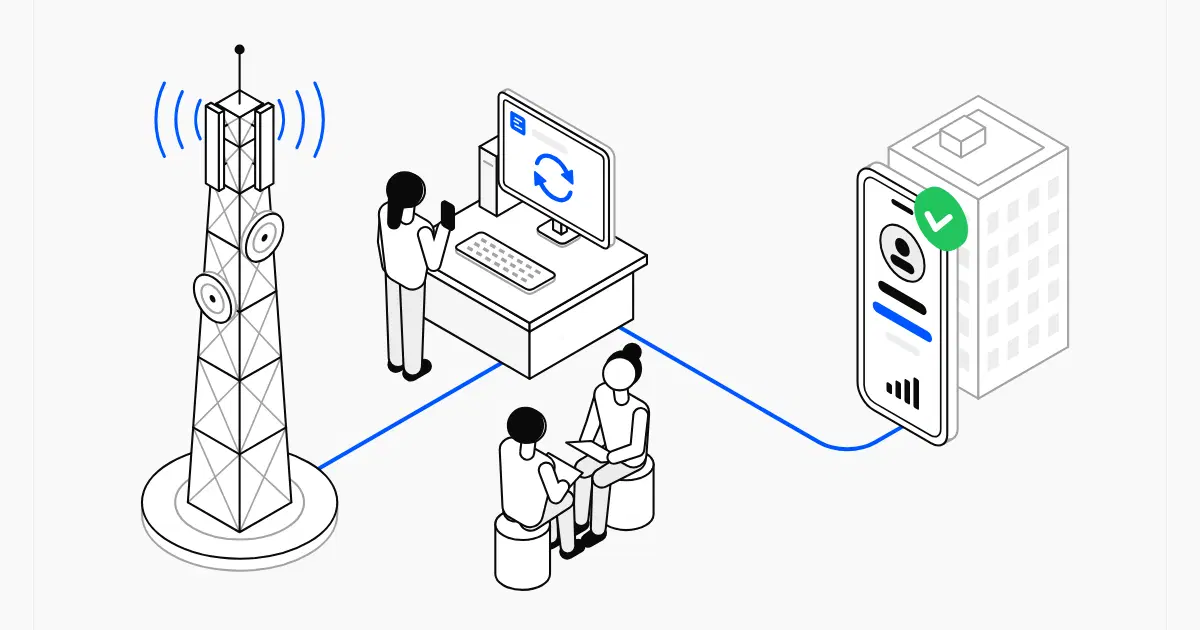
An HLR lookup asks the network about a number, and the phone itself never rings.
Key takeaway An HLR lookup asks a mobile operator's own database about a phone number. Nothing is sent to the phone: no call, no text message. It never rings. Within a few seconds, you know three things:
- whether the number is in service or has been disconnected,
- whether it's a mobile, a landline or an internet (VoIP) line,
- which operator runs it today, even if its owner has switched since.
A phone number looks the same whether it works or not. Its owner changes jobs, cancels a plan or moves to another operator, and the digits don't change. Usually, you find out when you call.
An HLR lookup lets you find out before you dial. Here's what it is, how it works and what the answer is worth, in plain terms.
What is an HLR lookup?
HLR stands for Home Location Register. Every mobile operator keeps one: a database with an entry for each of its SIM cards. The entry holds the phone number tied to the SIM, whether the line is active, what it's allowed to do (calls, texts, data) and which part of the network the phone last connected to.
The operator needs this for a very practical reason. When someone calls or texts you, the network first has to know that your line exists, and where to send the call.
An HLR lookup puts a question to that register: do you know this number, and is it in service? The register answers. The phone itself is never contacted.
It's a little like asking a hotel's front desk whether room 412 is occupied. The receptionist looks at the register and tells you. Nobody knocks on the door.
On recent networks the register goes by other names (HSS on 4G, UDM on 5G), but everyone still calls the check an HLR lookup.
Who uses it? Anyone about to rely on a phone number: a sales team before a calling campaign, a company about to send text messages in bulk, a sign-up form that wants to catch a mistyped number.
How an HLR lookup works, step by step
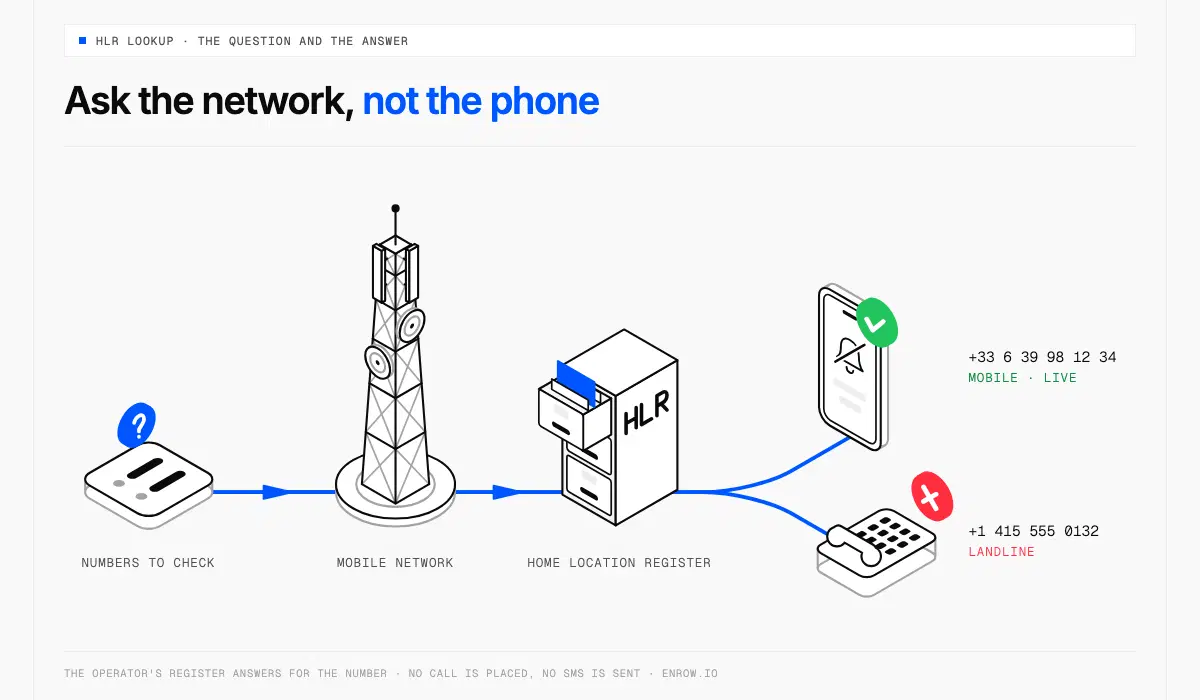
The question goes to the operator's register, and the answer comes back without a call.
You give a number and you get an answer, usually within a few seconds. In between, four things happen.
1. Checking the format
The lookup starts with the number itself: its country code, its length, its prefix. A number that can't exist stops here, before any network is asked. Our free phone number validator runs this first check in your browser.
2. Finding the operator
The first digits of a number say which operator issued it. That used to be enough. Today people keep their number when they switch operator, which is called number portability. So the lookup also consults the records of these transfers to find out who runs the number now.
3. Asking the register
Operators are linked by a private network (engineers call it the signalling network, or SS7) that they use to set up calls and pass texts to one another, anywhere in the world. The lookup travels on it and asks the operator's register the question every network asks before delivering a text message: where should I send a message for this number?
With a real text, the message would follow. With a lookup, nothing follows.
4. Reading the answer
The register's reply is turned into a result you can read: a status, a line type and an operator.
What the result tells you
The status comes first. It takes one of three values.
| Status | What it means |
|---|---|
| Live | The number is in service and the phone is connected to the network |
| Absent | The number is in service, but the phone is switched off or out of coverage |
| Dead | The number isn't assigned to anyone: it was disconnected, or never handed out |
Along with the status, a lookup returns:
- The line type: mobile, landline or VoIP.
- The operator: the one that issued the number and the one that runs it today.
- Whether the number was ported, meaning moved from one operator to another.
Strictly speaking, only mobiles have an entry in an HLR: a landline doesn't live on a mobile network. Lookup services combine the register's answer with numbering plans and portability records, so the same check also tells you when a number isn't a mobile at all.
Why the line type matters
In many countries, you can tell a mobile by its digits: French mobiles start with 06 or 07, British ones with 07. In the United States and Canada, you can't. Mobiles and landlines share the same area codes, and a landline number can be moved to a mobile plan. No software can sort them by reading the digits. The only way to know is to ask the network.
If you call prospects, this is the difference between reaching a person and reaching a reception desk. A number filed as someone's mobile can turn out to be the company switchboard, and you only notice when the front desk picks up. Thomas explains what separates a switchboard, a direct dial and a mobile in his article on direct dial numbers.
What an HLR lookup can't tell you
- Who the number belongs to, or where the phone is. A lookup returns no name and no location, only facts about the line.
- That it's still the same person. Operators put abandoned numbers back into circulation, so a live number can have a new owner.
- A status, on some networks. A few operators don't share whether a number is live. You still get the line type and the operator.
- Tomorrow's answer. The result describes the number at the time of the check. If a list has been sitting for months, check it again before a campaign.