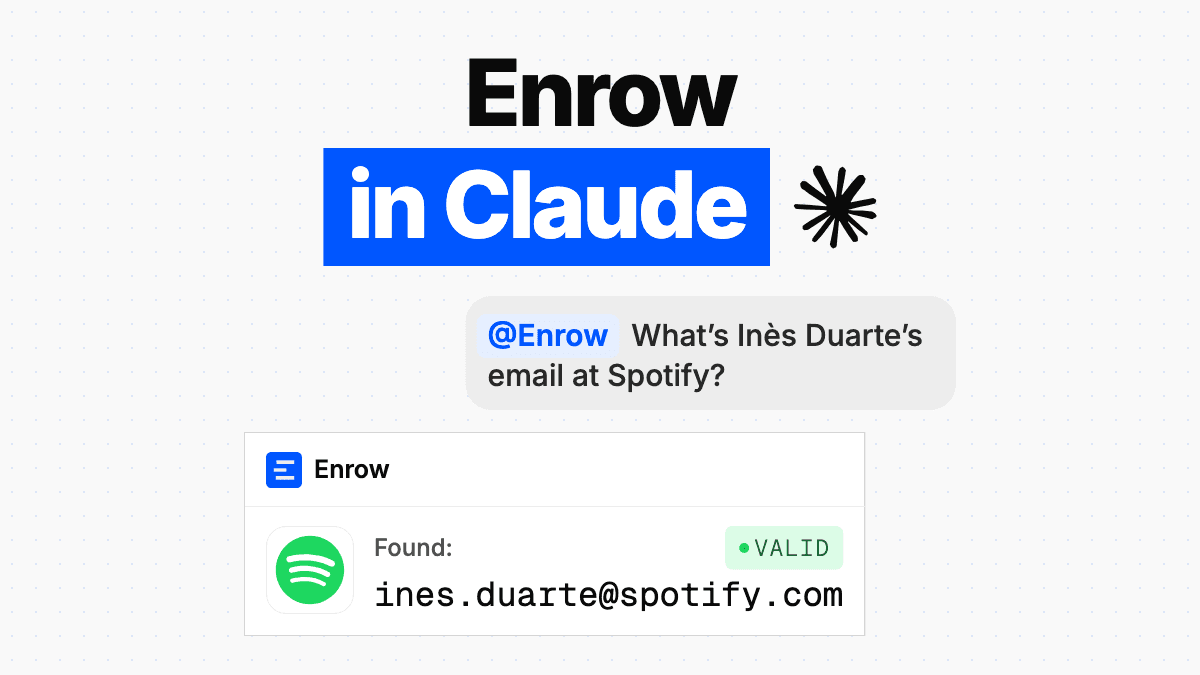
Key takeaway As of October 5, 2026, Enrow is listed in ChatGPT's Plugins Directory. You install it, connect your Enrow account, and ask for an email or a phone number without leaving the conversation. 1 credit per email found, 0.25 credit per address verified, 40 credits per mobile number found. They're the credits already in your account, at the same rate as everywhere else. A free Enrow account is enough: you use the 50 free credits you get each month, and lists need a paid plan. On the Claude side, Enrow isn't in the directory yet; the custom connector already works.
Enrow now sits in ChatGPT's Plugins Directory. If you have an Enrow account, even a free one, open the Enrow listing in ChatGPT, install, connect your account. We've opened the plugin to every country. If the listing doesn't offer to install, your ChatGPT plan or your workspace settings probably don't allow it.
ChatGPT has just drafted a first message to Jane Doe, head of procurement at Acme. The address is missing. Until now you opened a tab, ran the search and came back. Now you ask for it in the same place.
OpenAI calls this place the Plugins Directory. It has nothing to do with the ChatGPT plugins of 2023, which were discontinued. Behind the plugin is our MCP server, named after the open protocol that lets an assistant call an outside tool.
Disclosure first. This page is published by Enrow and announces our own product. Below: what you can ask, how to switch it on, what it costs, what happens to your data, and what the plugin doesn't do.
What you can ask ChatGPT
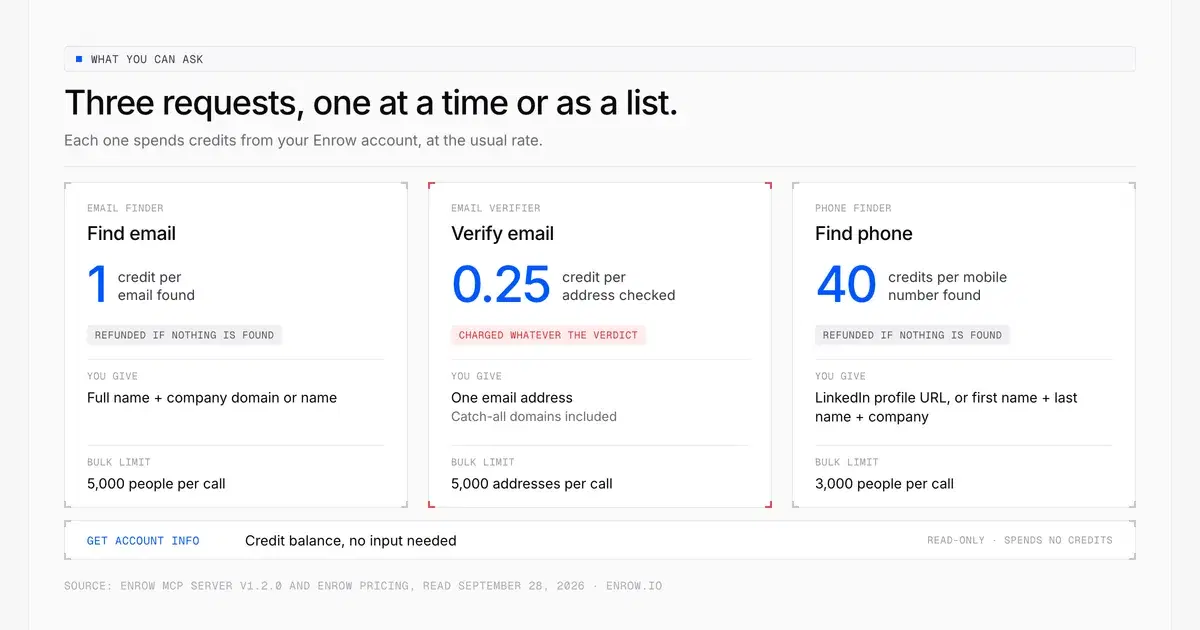
Two of the three searches cost nothing when they find nothing; verification charges for every address it checks.
Three things, one at a time or as a list: find the work email of a named person, check whether an address is deliverable, find a professional mobile number. And a fourth, worth doing before you launch a list: check your credit balance.
Find the work email of Jane Doe at Acme (acme.com).

Here are 120 addresses from an old export. Verify them with Enrow and give me a table: address, verdict.

Find Jane Doe's mobile number from her LinkedIn profile: <profile URL>

How many Enrow credits do I have left?
For an email, it needs the full name and the company, preferably the domain. For a phone number, the LinkedIn profile URL is enough on its own; failing that, first name, last name and company. Verification covers catch-all domains too.
This is professional contact data, meant for B2B use. What you do with it remains your responsibility: legal basis, informing the person you contact, honouring their right to object.
For lists, the ceilings are 5,000 people per email search, 5,000 addresses per verification and 3,000 people per phone search.
Searches are asynchronous. ChatGPT starts the search, gets an id back, then returns for the result a few seconds later. Don't be surprised to see two calls for one question.
How to switch it on
- Open the Enrow listing, or search for Enrow in ChatGPT's Plugins tab.
- Install the plugin, then start the connection to Enrow.
- Sign in to your Enrow account if you aren't already.
- On the screen titled "Allow ChatGPT to access your Enrow account?", click Allow.
- Start a new chat and describe what you need, or type @ to pick the plugin.
The consent screen is in English only, whatever language your Enrow account uses. The authorisation request stays valid for ten minutes; past that, restart the connection from ChatGPT. At no point do you copy or paste an API key.
One caveat. The ChatGPT side of that path is the one OpenAI's documentation describes; we're not reproducing the interface labels word for word, because we couldn't confirm them.
Install path and @ invocation from OpenAI's plugin documentation, read on October 5, 2026.
How much does it cost?
The plugin itself costs nothing. Each search spends the credits in your Enrow account, at the usual rate.
| Action | Cost | If nothing is found |
|---|---|---|
| Find an email | 1 credit | Refunded |
| Verify an address | 0.25 credit | Charged whatever the verdict |
| Find a mobile number | 40 credits | Refunded |
Rates from Enrow's pricing page, read on October 5, 2026. The 40 credits apply to current accounts and plans; legacy plans keep their own rate.
Credits are debited when the search starts, then refunded when nothing is found: in the end you only pay for the emails and numbers that were found. For a list, that means the balance has to cover the full cost up front, otherwise the search doesn't start and Enrow returns a 402 error. A hundred phone numbers need 4,000 credits available, even if some of them come back afterwards.
Verification is the exception. It charges for every address checked: 120 addresses, 30 credits, whatever the verdict.
That leaves the entry condition: an Enrow account, even a free one. With a free account you use the 50 free credits you get each month, one search at a time, phone numbers included. Lists need a paid plan, from $17 a month for 1,000 credits.
The connector is stateless. Your account keeps the search.
The connector hosted at mcp.enrow.io is stateless: no session, no database. It doesn't store the access token or the content of your requests, apart from technical and security logs. It receives the request, passes it to the Enrow API and returns the answer. It runs on AWS, in the Paris region.
That doesn't mean nothing is kept. The Enrow platform records your searches and their results in your account, as it does for any API call. That's what lets ChatGPT come back for a result afterwards.
For an individual account or a team owner, the token handed to ChatGPT when you authorise is specific to that connection: it isn't your API key. You never copy it and our connector doesn't store it, but OpenAI's platform holds it on its side. To withdraw that access, disconnect ChatGPT under Profile → Applications in the Enrow app: it takes effect immediately and your API key is left alone. A team member connects with the team's API key instead. A connection that uses an API key isn't listed there: to cut it off, the key has to be rotated on the API page of the app (in a team, only the owner can do it), which also cuts off every other integration using it. The detail is in the privacy policy.
What the plugin doesn't do, and why it asks for so little
Now the limits. They're quick to read and they save you a surprise at install time.
The plugin doesn't build prospect lists: it answers a precise question about a named person at a named company. It exposes 13 tools: six start a search or a verification and spend credits, seven read a result or the balance. None of them deletes anything. No search history, no push to your CRM, no webhook configuration. The account tool gives you a credit balance, not your invoices.
That narrowness is deliberate. OpenAI's plugin guidelines ask that each tool request only the minimum information it needs. Each tool asks only for what the question requires: a name and a company for an email, an address for a verification.
The code is public, under the MIT licence: github.com/EnrowAPI/enrow-mcp.
And Claude?
Enrow isn't in Anthropic's connectors directory yet as of October 5, 2026. We don't have a date, so we're not giving one.
In the meantime, you can already add Enrow as a custom connector in Claude (claude.ai and the desktop app), with this URL:
https://mcp.enrow.io/mcpSame server, same tools, same credits, same rules for free accounts. The consent screen is the same, with Claude's name on it.
A free account is enough to use Enrow in ChatGPT or in Claude; for lists, see pricing.
FAQ
Do I need a paid ChatGPT subscription?
We couldn't confirm it for every case. What you can install in ChatGPT depends on your plan and your workspace settings; in a company or school workspace, access to plugins may depend on an administrator. The safest check is to open the listing from your own account.
Does the plugin work with an Enrow team account?
Yes, and searches draw on the shared credit pool. The owner connects their own account. If you're a member, the connection uses the team's API key; it's refused if your membership is suspended, if the owner has disabled API access for your account, or if the team doesn't have a key yet.
Is Enrow in ChatGPT free?
Yes, with a free Enrow account: the plugin costs nothing, and you use the 50 free credits you get each month. Lists need a paid plan, from $17 a month for 1,000 credits. Each search spends the account's credits: 1 credit per email found, 0.25 credit per address verified, 40 credits per mobile number found.
Do I need an API key to connect Enrow to ChatGPT?
No. The connection goes through an authorisation screen where you click Allow, and you never copy or paste a key. The token handed to ChatGPT is specific to that connection, and the exchange happens without you. To withdraw access, disconnect ChatGPT under Profile → Applications in the Enrow app, without touching your API key. A team member connects with the team's API key instead: to cut that access off, the owner rotates the key on the API page, which also cuts off every other integration using it.
Can ChatGPT verify a list of email addresses?
Yes, up to 5,000 addresses per verification. Each address checked costs 0.25 credit whatever the verdict, and the balance has to cover the total up front, otherwise the verification doesn't start. Catch-all domains are covered.
Is Enrow available in Claude?
Not yet in Anthropic's connectors directory as of October 5, 2026, with no date announced. You can add Enrow today as a custom connector with the URL https://mcp.enrow.io/mcp. It's the same server, with the same tools and the same credits.
How we verified this
Everything about Enrow comes from the code in production and from our public pages, re-read on October 5, 2026. The server was answering as version 1.2.0 that day.
The install path and the publication rules on the ChatGPT side come from OpenAI's documentation, read the same day: the plugin documentation, the submission guide and the plugin guidelines. Those pages don't say which ChatGPT plans can install a plugin.
On availability, we've opened the plugin to every country and installed it from a ChatGPT account in France. What we couldn't confirm: which ChatGPT plans are covered, and the exact labels of the ChatGPT interface. If you see something different from your own account, write to us and we'll correct the page.